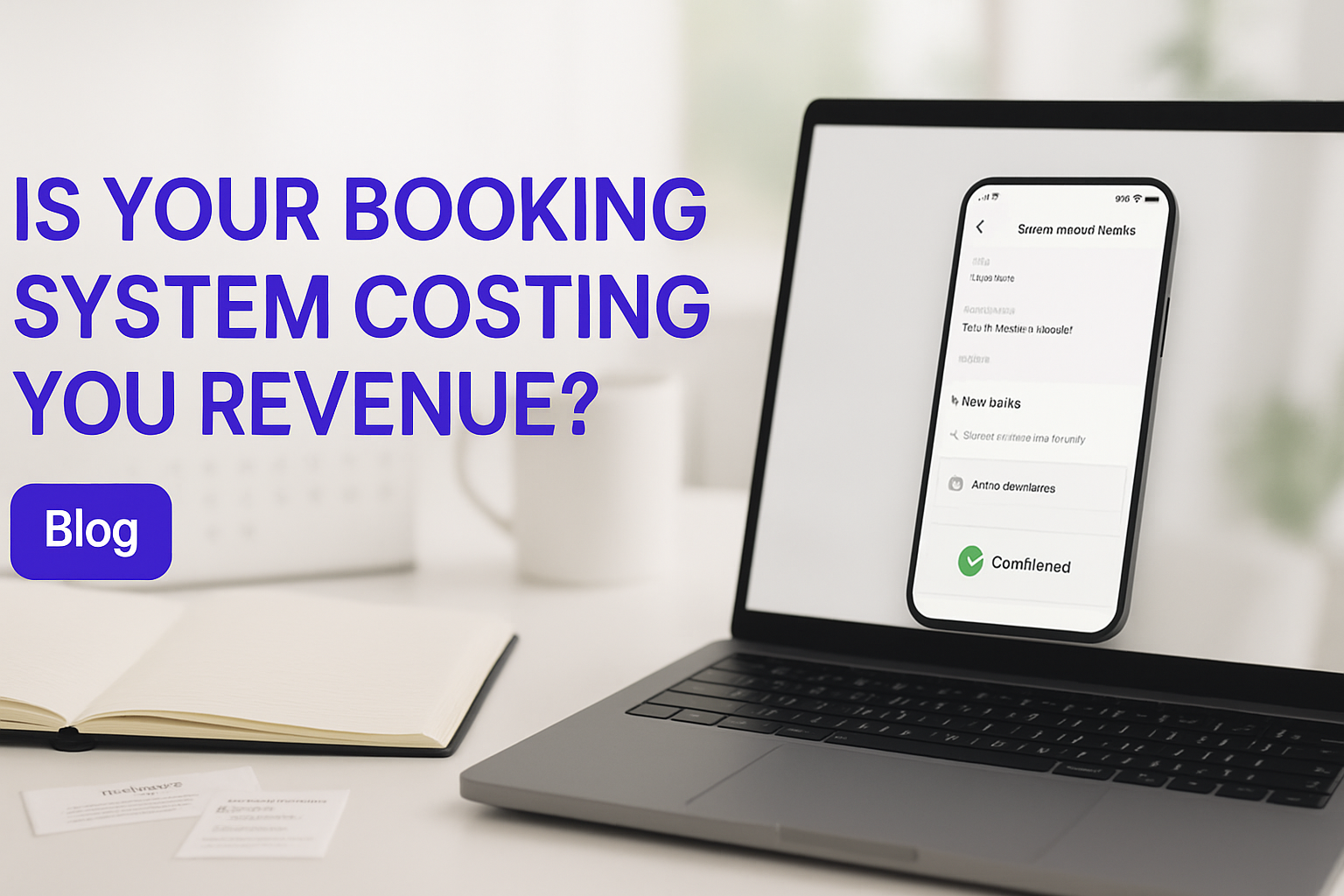
Why Your Booking System Is Killing Revenue: The Hidden Friction in Your Scheduling Flow
Booking system friction is costing service businesses 30, 40% of their highest-intent customers before a single confirmation email gets sent. This article shows exactly where the leak happens in your scheduling funnel, how to audit it yourself, and what a conversion-engineered booking system looks like when it's built right.
The Booking System Revenue Leak Nobody Talks About
Booking system friction is invisible by design. No error message fires. No angry email arrives. Your potential customer simply closes the tab and books with whoever made it easier.
Your customer has already done the hard work. They researched your service, compared you to competitors, and decided you're the right fit. Then they hit your booking page, and something goes wrong. It's not dramatic. It's a slight hesitation at an unclear price. A request to create an account before they've committed. A form that asks ten questions before confirming a slot. Any one of these moments, at the precise point of maximum buying intent, is enough to lose them.
Harvard Business Review research on checkout abandonment confirms what service businesses feel but rarely measure: friction at the moment of highest intent directly correlates to lost revenue. The customer doesn't know they're at a tipping point. Neither do you. But the data is consistent. Somewhere between 30% and 40% of ready-to-book customers don't finish.
The painful part isn't the loss. It's the silence. Your booking tool doesn't send you a "we lost one" notification. There's no abandoned-booking email sequence that fires for you, the business owner. The lead just evaporates, and your dashboard still looks clean because the visit never converted to a start.
This isn't a minor UX problem. It's a structural revenue problem, and most service businesses don't realize their Booking & Appointment System is the thing causing it.
Why Standard Booking Tools Fail Service Businesses
Off-the-shelf scheduling tools fail service businesses because they're optimized for provider setup time, not customer conversion. They're designed so you can be live in 20 minutes, not so your customer can book in under 90 seconds.
The incentive structure of most SaaS scheduling products is built around the vendor, not the customer journey. These tools win contracts by being fast to configure. They demo well in a sales call. But once you're running real traffic through them, the cracks appear quickly.
Service customer completing a booking on mobile device in a calm workspace
Conditional fields are missing. Your new clients need an intake form. Your returning clients don't. A generic scheduling tool can't make that distinction, so you either ask everyone for everything (friction) or ask no one for anything (lost data). Neither works.
The pricing structure is opaque by default. A customer sees "Initial Consultation" on your booking page. Is that $0? $150? $500? They don't know until they're deep into the form, and by then many have already bounced. The platform wasn't built to surface transparent pricing at the first moment of decision.
Then there's the data silo problem. A booking is made, and it lives in one system. Your calendar is somewhere else. Your CRM is separate. Invoicing is in a third tool. Someone, usually you or an admin, is manually copying data between all three. That's operational friction that eventually becomes a revenue problem when something falls through the gaps.
These tools also handle no-shows and reschedules badly. A customer who needs to move their appointment sends an email instead of using your system, because the rescheduling flow is harder than just typing a message. Your team spends 15 minutes on a task that should take two clicks.
The Five Friction Points That Directly Kill Conversions
The five friction points that most reliably kill booking conversions are hidden pricing, forced account creation, availability that lies, no payment at booking, and a broken reschedule flow. Each one acts independently, and most businesses are running with at least three of them active right now.
Hidden pricing is the fastest way to lose a committed customer. If someone has to enter their email address before seeing whether your intro call is free or $500, a meaningful percentage won't bother. Price transparency at the first screen isn't just good UX, it's a conversion mechanism.
Forced account creation before booking cuts conversions by 20, 30% based on industry data. The customer hasn't confirmed they're buying yet. You're asking them to sign up for a relationship before the first transaction. Let them book as a guest. Capture the account post-booking.
Availability that lies is particularly damaging because it breaks trust at the worst moment. Customer books a Tuesday 2pm slot. Monday morning, you send an email asking to reschedule because that slot wasn't actually available. The customer wanted to give you money and you made it feel unreliable. Some will reschedule. Many won't.
No payment at booking is a no-show factory. The Service Industry Analytics Report found that no-show rates increase 40, 60% when payment is deferred to the appointment rather than collected at booking. A customer who pays is a customer who shows up. A booking without payment is a placeholder, not a commitment.
Broken reschedule flow generates support tickets and manual work while quietly losing customers. If rescheduling requires cancelling and rebooking from scratch, customers will pick up their phone and call instead, or they'll just not show up and quietly churn.
How to Audit Your Booking Funnel and Find the Leak
Auditing your booking funnel starts with going through it yourself, cold, as a customer would. Don't use your admin account. Create a fresh email address and actually try to book your own service. Write down every moment of hesitation.
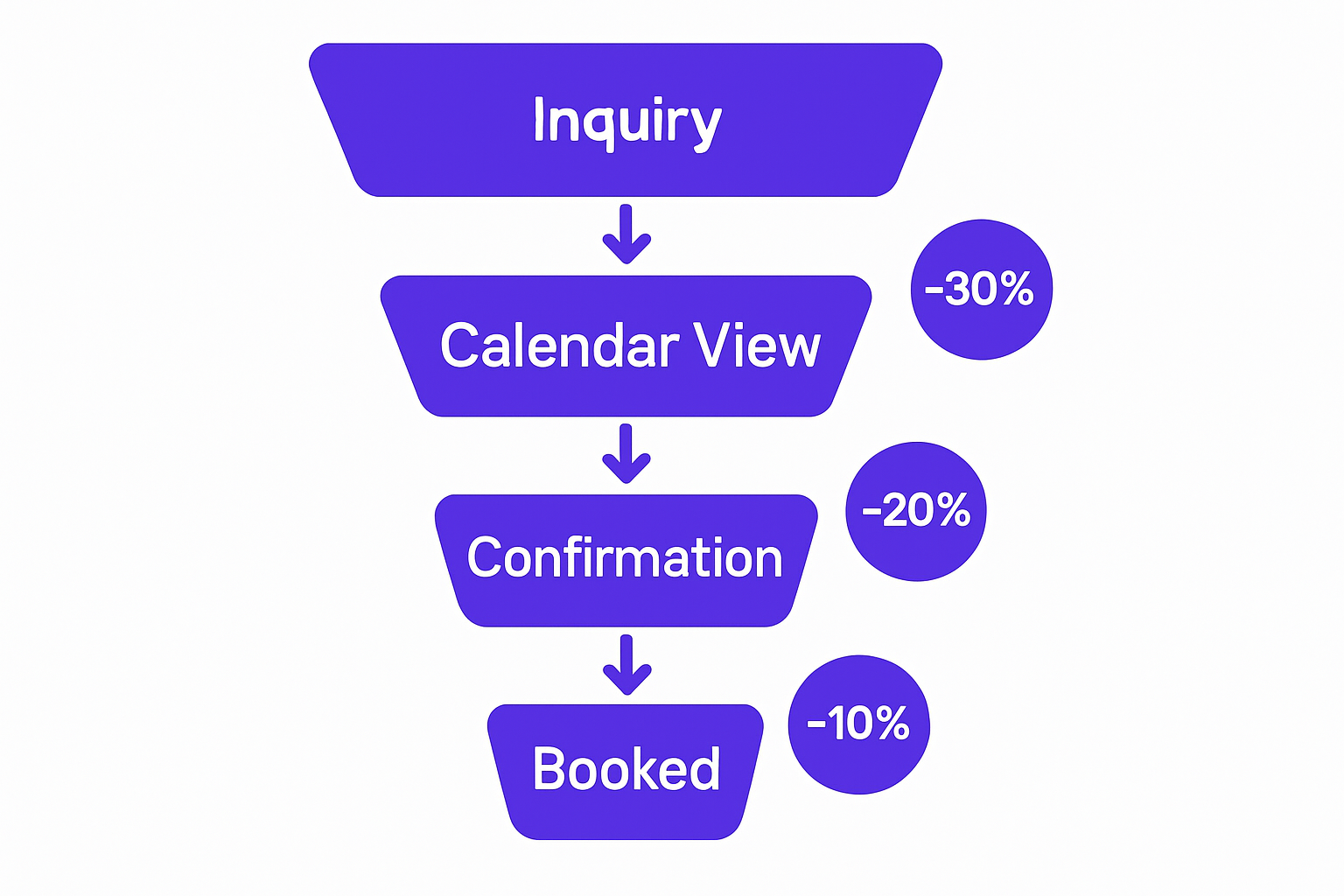
Booking funnel visualization with conversion metrics at each stage
That first-person audit usually reveals things no analytics tool will catch. The unclear button label. The field that asks something you wouldn't expect a customer to know. The price that only appears on step three of four. You've become blind to these things because you know your own system. Your customers don't.
After the manual audit, pull your abandonment numbers. Most booking platforms show you how many people started a booking flow and didn't complete it. If that number is above 15%, you have a friction problem worth fixing. If it's above 30%, you're bleeding revenue every day this goes unfixed.
The next step is asking real customers. Ask the ones who booked slowly, or who mentioned hesitation in feedback. The question is simple: "What almost made you book elsewhere?" The answers are usually specific and immediately actionable.
Then map the data flow. After a booking is confirmed, trace where that data goes. Does it auto-populate your calendar? Does it create a CRM contact? Does it trigger an invoice? If you can find a single step where a human is copying data from one system to another, that's operational friction that compounds at scale. A proper workflow automation platform removes those steps entirely.
Finally, measure your no-show rate by payment timing. Customers who paid at booking vs. those who didn't. The gap in show rates will tell you exactly how much upfront payment collection is worth to your business.
Audit Your Booking Funnel Today
Common Pitfalls When Trying to Fix Booking Friction
The most common mistake businesses make when fixing booking friction is swapping one off-the-shelf tool for another. Calendly becomes Acuity becomes HubSpot's native scheduler, and the same structural problems follow you everywhere. The platform isn't the issue. The architecture is.
Overcomplicating the intake form is another reliable way to depress conversion. There's real tension between wanting more information from new clients and keeping the booking flow short. The answer is conditional logic, not fewer fields and not more fields. Show the right fields to the right customer type, and every field on screen earns its presence. A 15-field form shown to everyone will collapse your submission rate faster than any other single change.
Ignoring payment friction is expensive and surprisingly common. Business owners assume customers prefer to pay at the appointment. They're wrong. Customers who pay upfront have 60, 70% lower no-show rates, and the business doesn't have to chase payment or deal with awkward in-person transactions. Every booking system that doesn't offer same-screen payment is leaving revenue on the table while creating operational headaches.
The integration gap kills teams operating at scale. Your booking system appears to work. But it doesn't connect to your calendar, CRM, or invoicing. You end up managing by email and spreadsheet anyway, which means the booking tool has solved the customer-facing problem while creating an operational one. You need to see case studies from service businesses we've scaled to understand how different this looks when the integration is done properly from the start.
Treating booking as a front-end problem only is the final trap. Friction isn't just the UI. It's the availability logic, the team assignment rules, the automated follow-up sequence, the rescheduling policy. A tool that forces generic behavior across all of these will fail regardless of how clean the interface looks.
Building a Booking System That Converts
A high-converting booking system starts with conditional logic that adjusts the experience based on who's booking. New clients see intake forms. Returning clients skip them. Service types show different pricing breakdowns. Every field on screen has a reason to be there, and that reason is tied to the specific customer's situation.
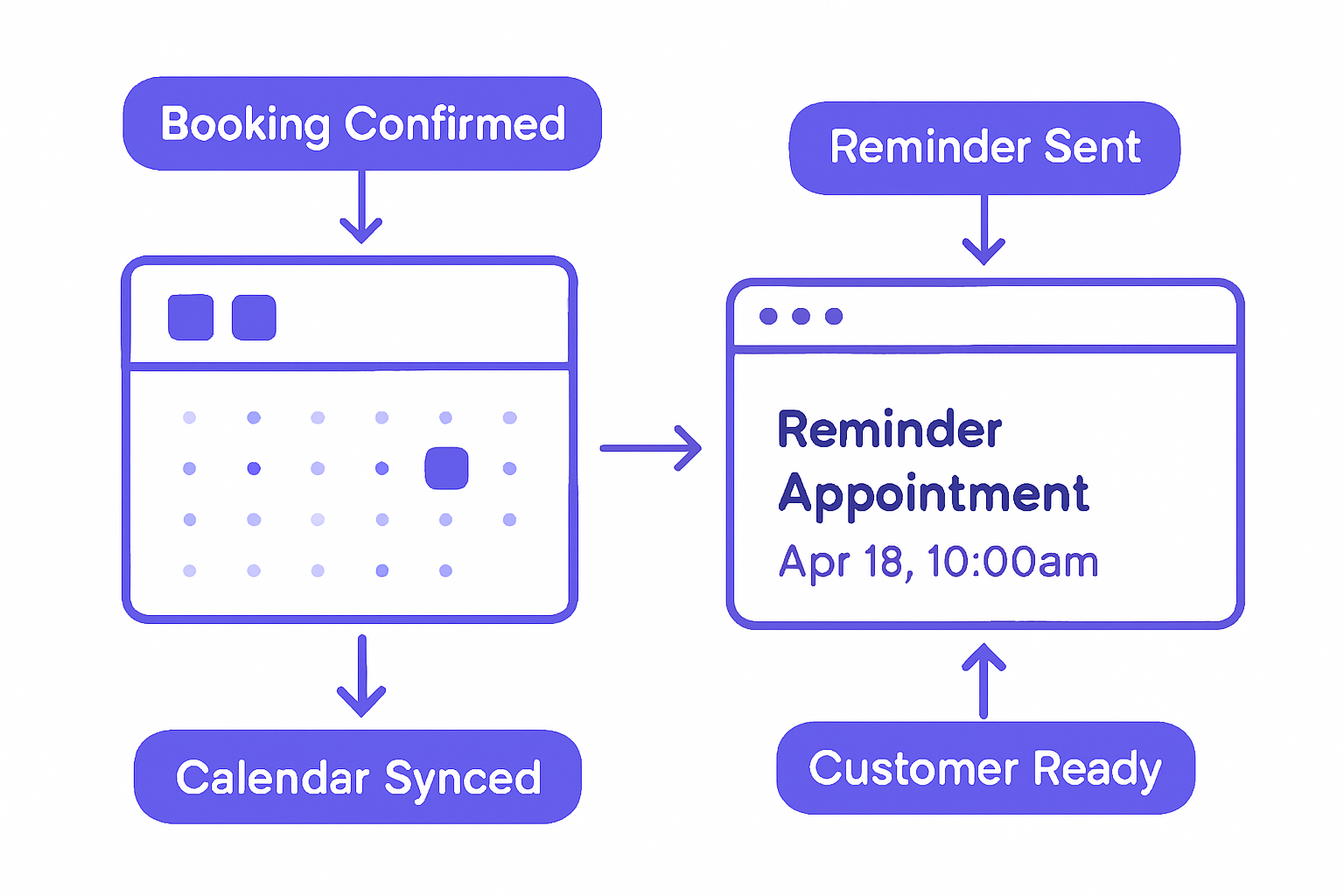
Automated booking reminder and calendar integration workflow diagram
Price transparency is non-negotiable. Show the total cost upfront, on the first screen. No extras appearing at checkout. No "convenience fee" at step three. Customers who know exactly what they're paying before they enter their email are far more likely to complete the booking, and far less likely to feel deceived if they do.
Team routing matters more than most businesses acknowledge. For many service businesses, the customer wants to book with a specific team member, or at least know that their assignment makes sense. A system that supports staff selection, or auto-assigns based on availability and skill, removes a layer of uncertainty that quietly kills conversion.
Payment collection at booking is one of the highest-use changes you can make. Card, ACH, Apple Pay, whichever methods your customers prefer. The moment payment is captured, you have a committed appointment, not a placeholder. The no-show rate drops, the admin work drops, and the revenue becomes predictable.
Reschedule and cancellation flows need to be single-click operations. If a customer can move their appointment with one tap, no email required, you keep the revenue and the relationship. If they have to call, email, or cancel-and-rebook, you lose some percentage of them at every step.
The full picture is integration across your entire operational stack. Booking to calendar. Calendar to CRM. CRM to invoicing. Invoicing to support. When data moves automatically across systems, your team stops doing manual work, customers get coherent communications, and your operations run without babysitting. The talk to our team about your funnel link below connects you directly with the people who build these systems.
At GroovyMark WebX, every booking system we ship is purpose-built around the specific workflow, service type, pricing model, and operational stack of the client. There's no generic template behind it. The conditional logic, the payment collection, the CRM integration, the reschedule rules: all of it is designed around how your business actually runs.
The businesses that fix their booking friction don't just recover the revenue they were losing. They usually find that the improvement compounds because a smoother booking experience generates better reviews, more referrals, and lower churn. The booking system is often the first operational experience a customer has with your business. It sets the tone for everything after.
If your current scheduling tool is creating friction you can't configure away, the answer isn't another off-the-shelf product. It's a system built to your spec. Teams working with GroovyMark WebX typically see measurable conversion improvements within weeks of go-live, not after months of iterating on a platform that was never designed for their use case.
Ready to Stop Losing Revenue to Booking Friction?
Frequently asked questions
How much revenue are we actually losing to booking friction?
Most service businesses lose 30–40% of ready-to-book customers to friction in their scheduling flow. If you're booking 100 qualified leads per month, friction is likely costing you 30–40 confirmed appointments. At an average service value of $500–$2,000 per booking, that's $15,000–$80,000 per month in lost revenue. GroovyMark WebX helps service businesses identify and eliminate these friction points with custom booking systems engineered for conversion.
What's the difference between a 'booking system' and a 'scheduling tool'?
A scheduling tool slots people into time slots. A booking system converts customers and routes them seamlessly into your operations. Scheduling tools are generic; booking systems are custom-built around your service, pricing, team, and payment model. GroovyMark WebX builds purpose-built booking systems that handle conditional logic, team assignment, instant payment, and full CRM/calendar integration—not just time-slot management.
Why do off-the-shelf booking tools fail service businesses?
Off-the-shelf tools are designed to be general-purpose, which means they're optimized for simplicity, not conversion. They can't handle conditional fields, team-specific routing, transparent pricing by service type, or payment friction removal. They also don't integrate with your CRM, invoicing, or calendar—so you end up managing multiple systems. GroovyMark WebX eliminates this by building custom booking systems that do exactly what your business needs, with full integration across your entire operational stack.
Should we collect payment at booking or at the appointment?
Collect at booking. Customers who pay upfront have 60–70% lower no-show rates, and you don't have to chase payment after the service. It's also a commitment signal—a customer who paid is a customer who will show up. If your current system doesn't support same-page payment, that's costing you revenue and operational headaches.
How long does it take to fix booking friction?
It depends on how deeply embedded the friction is. A quick audit of your current funnel takes a day or two. Removing obvious friction (clarifying pricing, removing forced signups, adding payment options) can happen in weeks. But to truly eliminate all friction—custom team routing, conditional logic, full CRM integration, automated reschedules—you need a system engineered around your workflow. GroovyMark WebX delivers custom booking systems on a fixed timeline with guaranteed on-time delivery, so you're seeing conversion improvements within weeks, not months.