Why Your Booking System Is Losing You Revenue, And How to Fix It
Your booking system revenue loss is probably bigger than you think. Service businesses lose 30, 40% of qualified leads between first interest and confirmed appointment, not because the service is wrong, but because the booking experience is broken. This post maps the exact friction points and shows you how to eliminate them.
The Hidden Cost: How Manual Booking Kills Revenue
Manual booking processes silently drain your pipeline every day. Most service businesses lose 30, 40% of qualified leads between the moment someone shows interest and the moment an appointment is confirmed. That's not a marketing problem. That's a systems problem, and it has a calculable dollar value.
Think about what happens when a prospect visits your site, wants to book, and can't see real-time availability. They send an email. You or your team respond 4, 24 hours later. By then, they've either booked with a competitor or simply moved on. Each one of those abandoned interactions is a qualified prospect who wanted to give you money and couldn't figure out how.
The HubSpot Service Business Benchmark Report found that 25, 35% of booked appointments result in no-shows or last-minute cancellations, largely because of friction baked into the booking experience. No reminders. No deposit collected. No confirmation workflow. Just a manually managed calendar and crossed fingers.
Here's the operational cost on top of that. Your team is likely spending 10, 15 hours per week on booking admin: replying to availability questions, sending confirmation emails, chasing clients for intake forms, and rescheduling missed appointments. That's real labour cost attached to a problem that should be automated entirely.
Why This Happens: The Root Causes of Booking Abandonment
Booking abandonment has a short list of root causes, and they compound each other. When a client can't see your real-time availability, has to wait for a reply, and then hits an unexpected fee at checkout, each friction point multiplies the chance they leave.
The first failure is invisible availability. Clients visiting your site expect to see open slots the way they see product inventory. When there's no availability calendar, they email a question and wait. That waiting window is where competitors win.

Service business owner analyzing booking conversion data and lead-flow metrics.
The second failure is financial surprise. If a client selects a service at $150 and hits a checkout total of $185 because of add-ons, booking fees, or GST not shown upfront, many will abandon. Not because they can't afford it, but because the experience now feels untrustworthy.
The third failure is silence after booking. No automated confirmation, no reminder, no prep-work instructions. Clients who don't hear from you immediately assume something went wrong. Some rebook elsewhere. Others show up unprepared. Some simply don't show up at all.
Mobile experience is also worth naming directly. A large share of bookings now happen on phones. If your booking flow doesn't work cleanly on mobile, or if it asks too many questions before the client can commit, you're filtering out the people most ready to buy.
The Modern Booking Framework: What Actually Works
A well-built booking system doesn't just take appointments. It removes every reason a qualified client has to stop mid-process. Real-time availability, transparent pricing, one-click confirmation, and automated follow-up are the four pillars that separate a system that converts from one that costs you revenue.
Real-time availability filtering by service type, duration, and location means clients self-select their slot without any back-and-forth. One-click confirmation means the booking completes in under 30 seconds. Transparent pricing shown before the final step means no surprises at checkout.
Automated reminders are where the data gets compelling. The Forrester CX Index 2024 found that businesses with automated appointment reminders report a 40, 50% reduction in no-shows and a 15, 20% improvement in booking completion rates. Those aren't marginal gains. At 50 appointments per month, a 15% lift in completion rate is 7, 8 additional confirmed bookings every month, from the same traffic you already have.
The best booking system is one that your client never has to think about. They see availability, pick a time, pay, and get everything they need before they even close the tab.
Post-booking automation matters just as much. The moment a booking is confirmed, your system should send a confirmation email, collect any deposit, deliver intake forms, and schedule reminder messages. None of that should require a person. AI-powered reminders and workflow automation can handle this entire sequence without your team touching it.
The final piece is integration. Booked appointments need to land in your team's calendar, your CRM, and any operations tools you use, without manual re-entry. Re-entry is where errors multiply: double-bookings, missed timezone conversions, and lost requests all trace back to a gap in your stack.
How to Implement It: Step-by-Step Setup
Implementation starts with an honest audit of what you have now. Map every step from "client finds your site" to "appointment confirmed" and mark every manual touchpoint. Email replies, copy-paste calendar updates, manually sent confirmations, each one is a failure point and a cost centre.
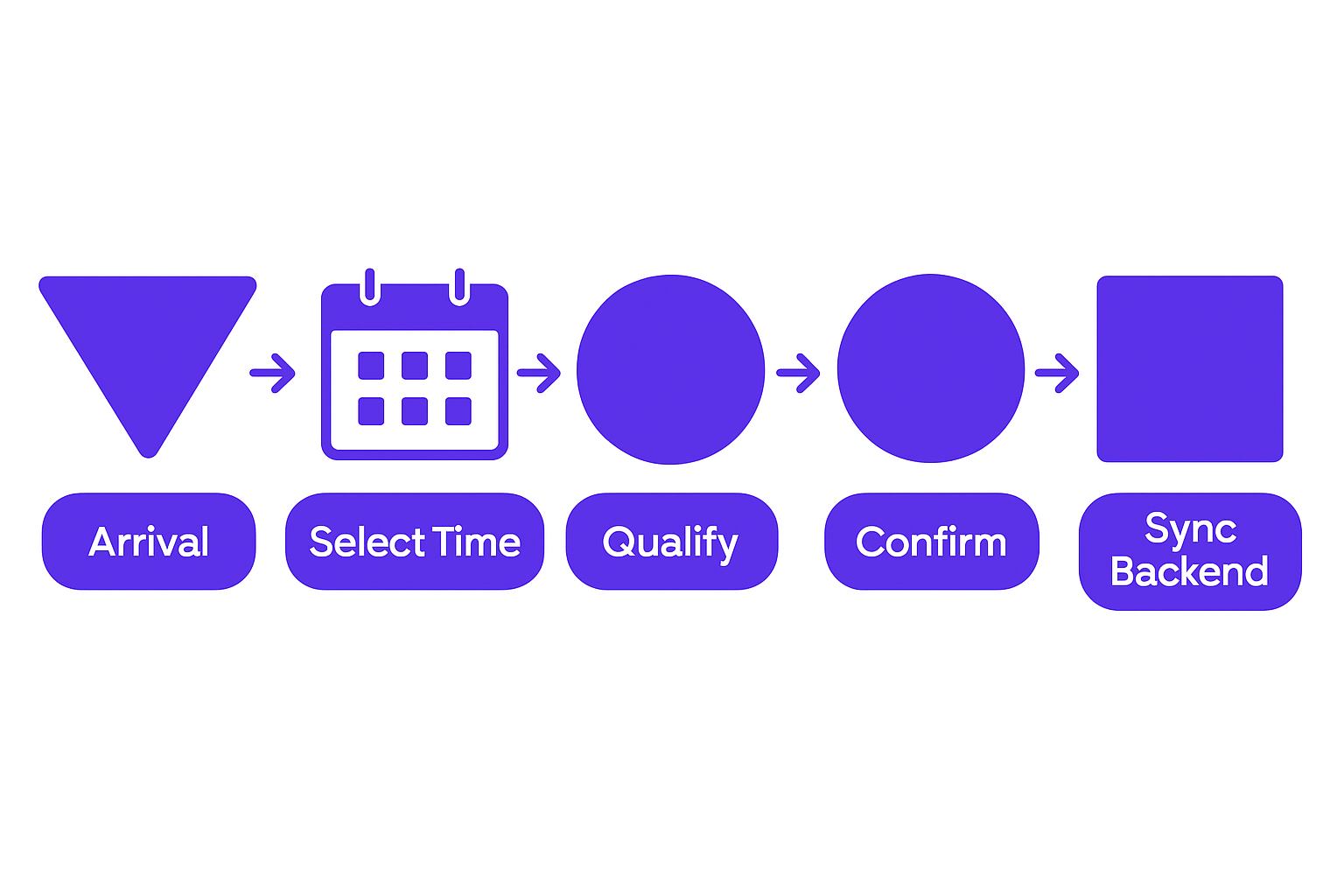
A five-stage booking conversion funnel showing lead flow from arrival through backend integration.
Once you know where the friction lives, choose a platform that owns the entire stack: booking, payments, reminders, and calendar sync under one roof. Stitching together five different tools with Zapier creates fragility. One integration fails and your booking flow breaks silently.
Configure your service types before anything else. Name, duration, price, buffer time, prep questions, and any deposit requirements. Get those right and the rest of the configuration becomes straightforward.
Set your availability rules carefully. Block out internal meetings, travel, lunch, and buffer time between appointments. Your calendar should reflect reality, not an aspirational schedule. If a client books into a slot that isn't actually free, the trust damage is immediate and hard to recover.
Then design your confirmation workflow. Decide what happens automatically on booking: instant confirmation, payment capture, intake form delivery. Decide what, if anything, needs manual review. Keep the manual review list as short as possible.
Test the whole flow end-to-end as a real client would. Book an appointment from your own public booking page, check every automated message that fires, and confirm it all lands in your team's tools. Fix every stall point you find before you send real clients through it.
Ready to Stop Losing Booking Revenue?
Common Pitfalls That Tank Booking Conversion
Even well-intentioned booking setups fail for predictable reasons. The most common is asking for too much information upfront. Capture the essentials to confirm the appointment. Save preferences, history, and secondary details for after the booking is locked in.
Hidden fees are the next most common conversion killer. If your advertised price is $200 and your checkout total is $240, expect abandonment. Clients don't object to higher prices; they object to discovering them late.
Skipping payment collection at booking is a costly habit. When payment is due "later," 15, 30% of bookings disappear before the service date. Collecting a deposit or full payment at confirmation gives clients skin in the game and reduces no-shows accordingly.
Booked-but-unconfirmed limbo destroys trust. If a client submits a booking and doesn't get an immediate automated confirmation, many will assume it failed and book elsewhere. You then end up with a ghost booking and a lost client.
Timezone handling is a quiet killer for multi-location or internationally distributed service businesses. If your booking system shows times in your local timezone without detecting the client's timezone, missed appointments follow.
Finally, don't treat launch as the finish line. Booking systems that aren't actively monitored and updated decay. Reminder sequences stop sending, calendar integrations drift out of sync, and the conversion gains erode within months.
How GroovyMark WebX Recovers Your Booking Revenue
At GroovyMark WebX, we build Booking & Appointment Systems designed around your service model, not the other way around. Every system we ship is built from the ground up to match your service types, your availability rules, your team's workflow, and your client expectations.
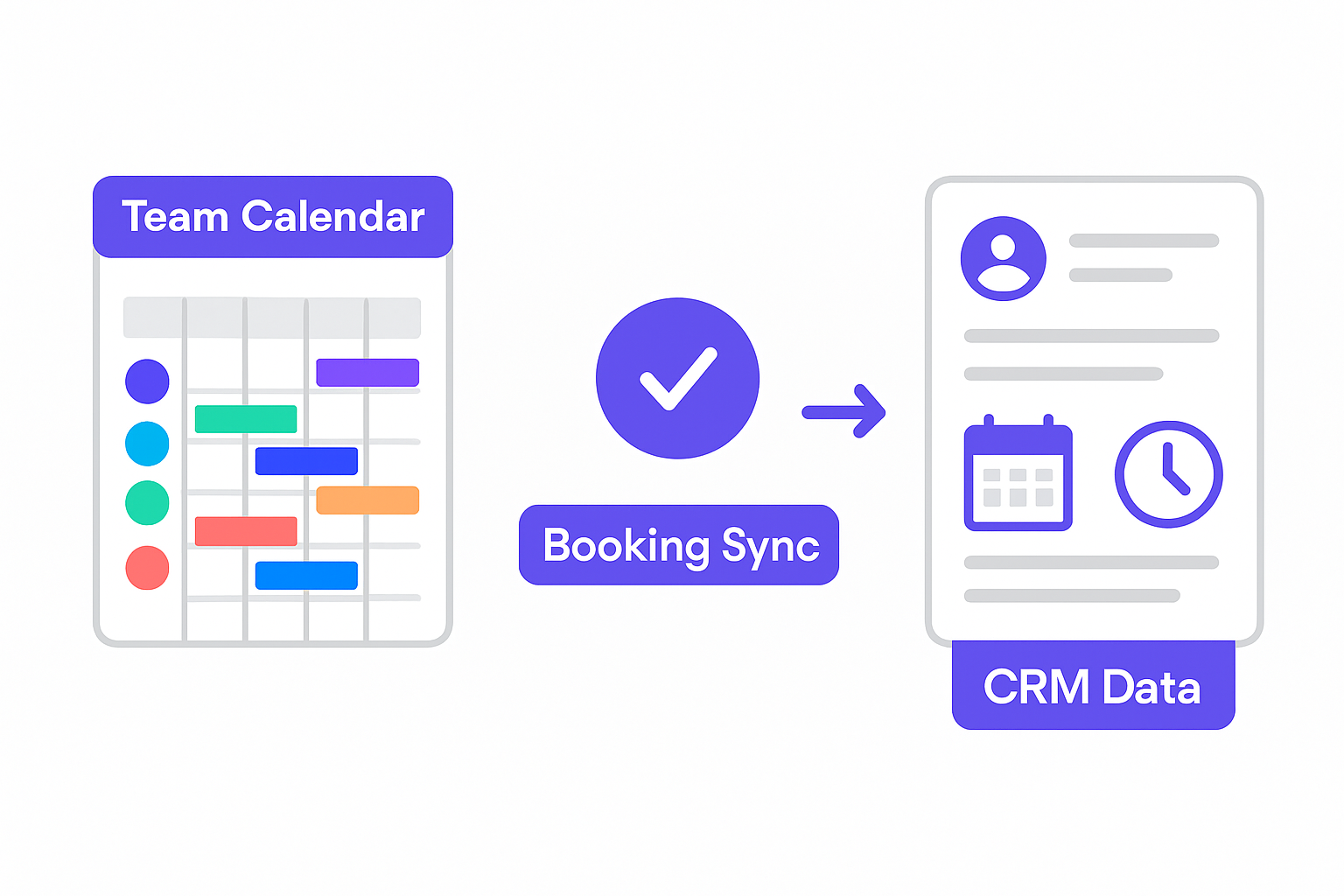
Booking data synchronized across team calendar, scheduling system, and CRM.
The difference between a purpose-built booking system and a scheduling plugin bolted onto a website is integration depth. GroovyMark WebX connects your booking flow to your calendar, your CRM, your payment processor, and your operations tools. When a client books, everything updates at once. No re-entry. No delays. No missed syncs.
We build payment capture into the booking confirmation step by default. Full payment, deposit, or staged payment plan, whichever fits your service model. Combined with automated reminders at 24 hours and 1 hour before the appointment, the no-show rate for clients we work with drops materially within the first 30 days.
Intake forms, prep instructions, and post-booking automations are built into the workflow, not added as afterthoughts. Your clients get what they need to show up prepared. Your team gets a clean, confirmed appointment with everything they need already in the system.
Teams that work with GroovyMark WebX on booking systems typically recover 50, 70% of previously lost pipeline within the first 90 days. That's not a projection. That's the result of removing friction at every stage of the booking process and replacing manual steps with automated workflows that run without your team's attention.
If you want to see how other service businesses recovered revenue, the evidence is there.
Our delivery comes with on-time guarantees, a 100% satisfaction commitment, and lifetime support so the system stays current as your business grows. You can talk to us about your booking setup any time.
Every lead you lose at the booking stage is a lead your competitor converts. A well-built booking system doesn't just improve the client experience, it directly increases your confirmed appointment rate, reduces no-shows, and frees your team from admin that should be automated. GroovyMark WebX builds these systems to close that gap with measurable outcomes, not promises.
Let's Audit Your Current Booking Flow
Frequently asked questions
How much revenue am I actually losing to booking friction?
If you book 50 appointments per month and lose 30–40% of qualified leads at the booking stage, you're leaving 15–20 confirmed appointments on the table every month. At an average service value of $200–500, that's $3,000–$10,000 in lost monthly revenue—$36,000–$120,000 annually. GroovyMark WebX's booking systems typically recover 50–70% of that lost pipeline within the first 90 days through friction elimination and automation.
What's the difference between a booking system and a calendar app?
A calendar app (Google Calendar, Outlook) is internal—your team's schedule. A booking system is client-facing—it shows real-time availability, captures payment, automates confirmations, and integrates with your operations. GroovyMark WebX builds custom booking systems that own the entire flow from discovery to prep-work delivery, eliminating manual steps your team currently handles.
Do I need to collect payment at booking, or can it be due later?
Collecting payment (deposit or full amount) at booking improves conversion and reduces no-shows by 40–50% because clients have skin in the game. If you defer payment, expect 15–30% of bookings to cancel or no-show before the service date. GroovyMark WebX configures your booking system to capture payment at the moment of confirmation, with flexible options: full payment, deposit, or payment-plan options depending on your service model.
How do automated reminders reduce no-shows?
Reminders sent 1 day and 1 hour before an appointment act as cognitive triggers—clients mentally prepare, reschedule if needed, or confirm they're still coming. Without them, clients forget or assume the booking was auto-cancelled. The data is clear: SMS + email reminders reduce no-shows by 40–50%. GroovyMark WebX automates this entirely; reminders are triggered the moment a booking is confirmed, no manual work required.
Can a booking system integrate with my existing tools?
Yes. GroovyMark WebX builds booking systems that sync with your calendar (Google, Outlook, iCal), CRM, payment processor, and operations tools—so booked appointments flow directly to your team without re-entry. If you use a legacy system or custom ERP, we build APIs and integrations to connect it. This eliminates the 'double data entry' friction that kills productivity and creates errors.